
For studios · Team & Rooms
Instructors
Add the people who teach, so you can put them on classes and show them on your booking page.
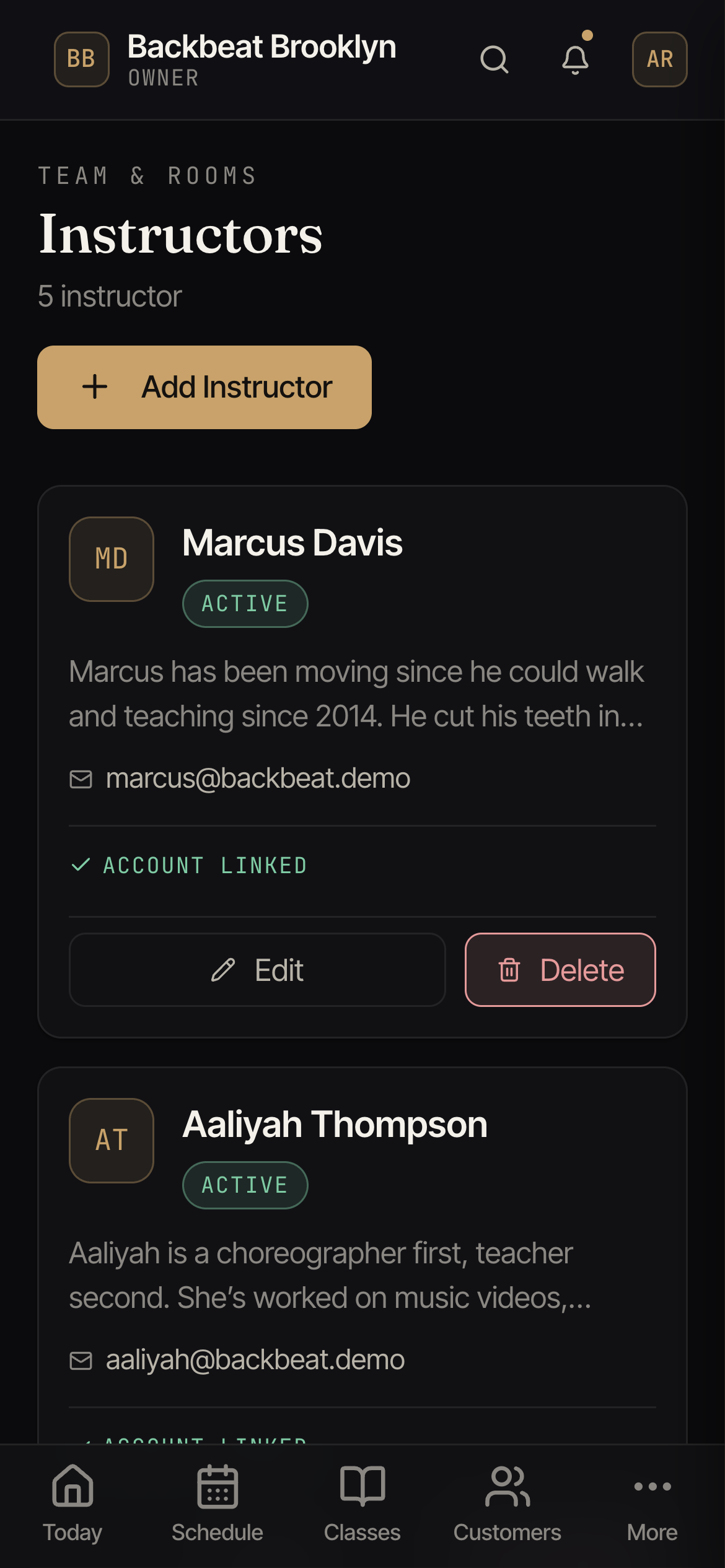
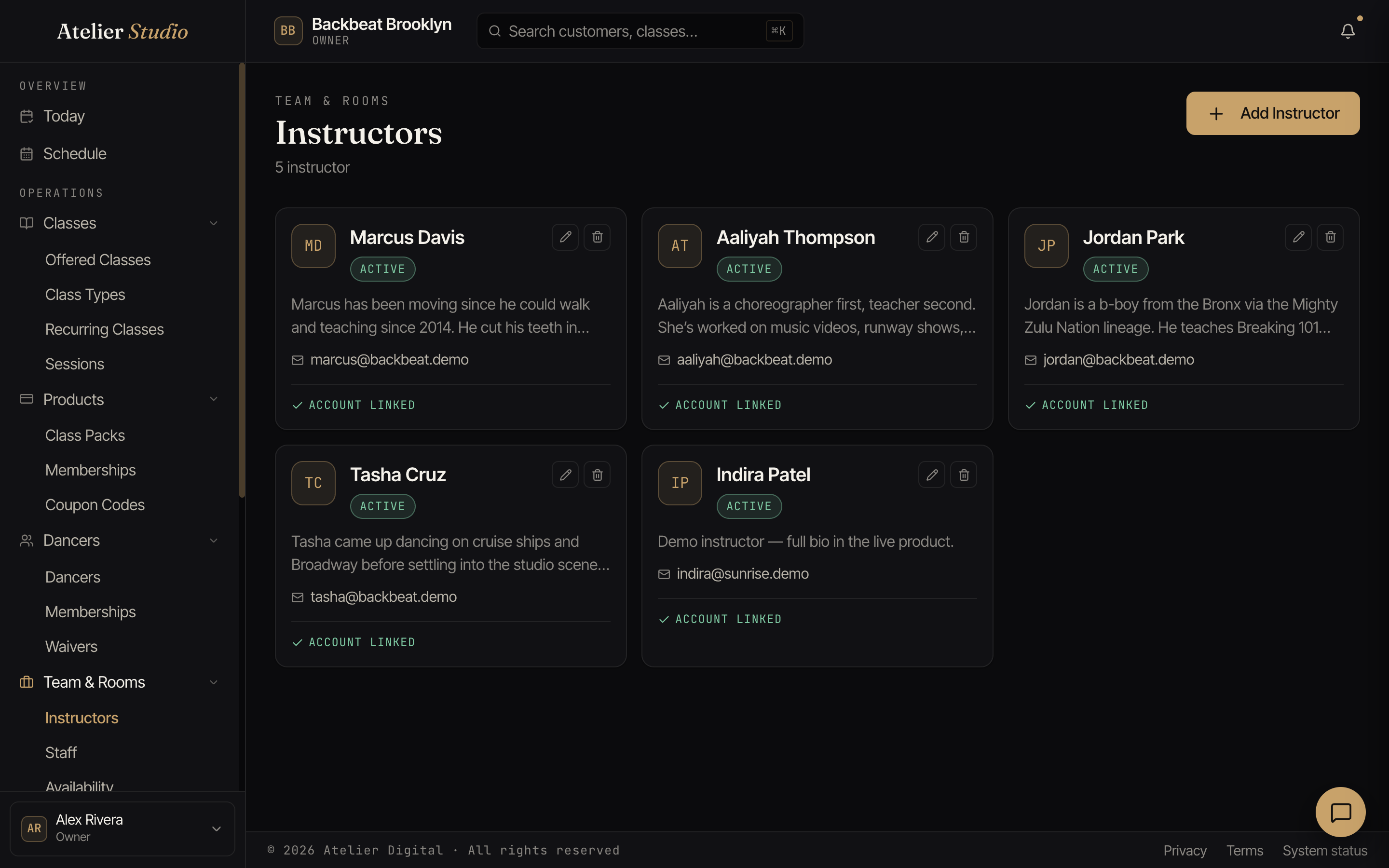
Instructors are the people who teach your classes. Add them here so you can assign them when you add a class, and so clients can see who’s teaching.
Open Team & Rooms → Instructors.
Adding an instructor
Select Add Instructor, then fill in their details. Only a first and last name are required. Everything else, including email, is optional.
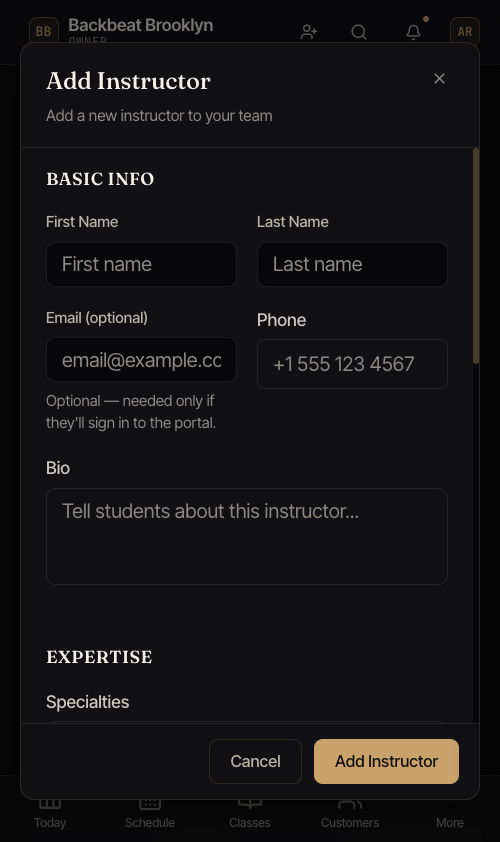
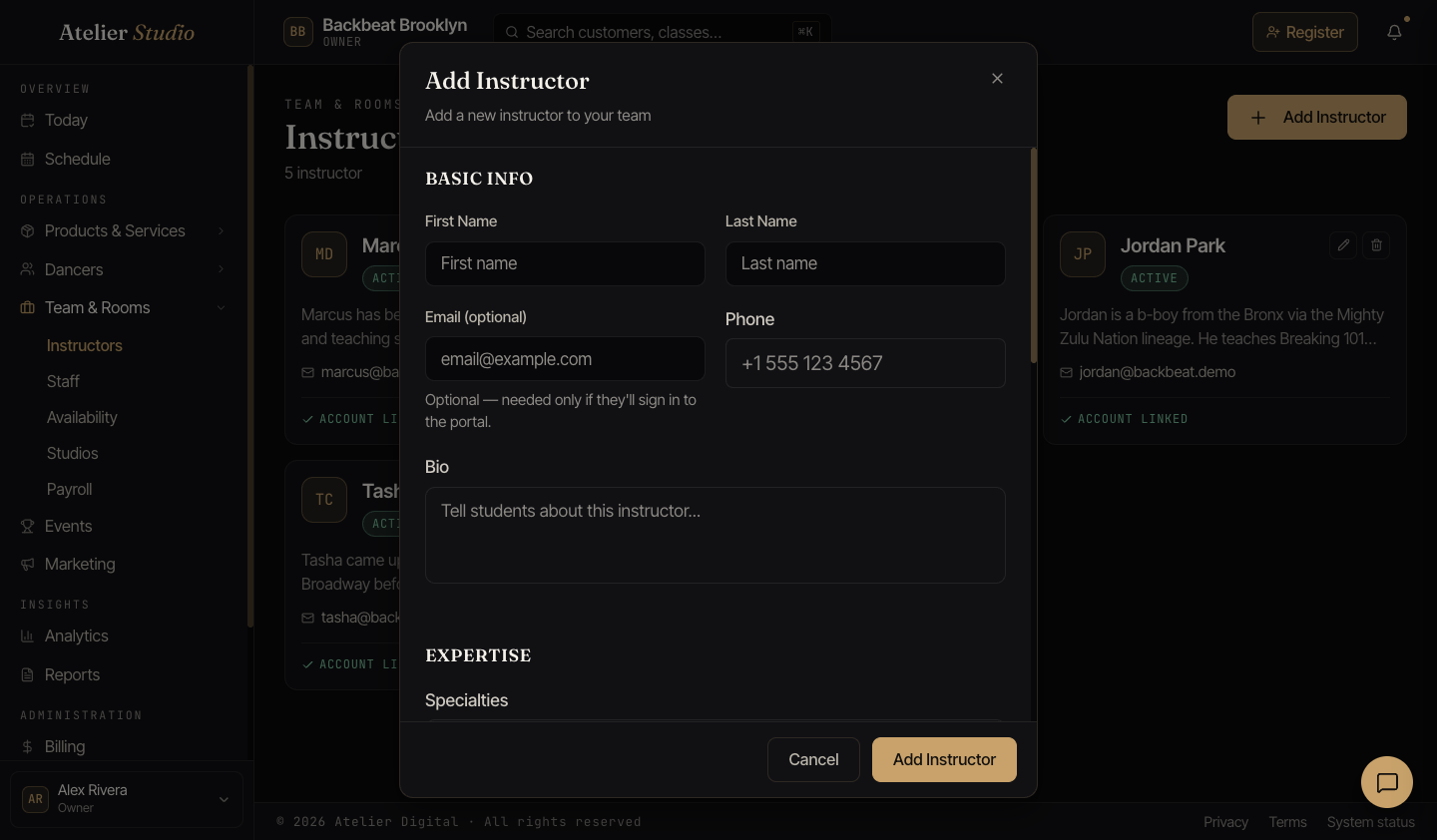
A short bio is a nice touch, since it can show on your booking page so clients know who they’ll be learning from. You can also add a phone number, specialties, social links, and how the instructor is paid.
Email is optional
You don’t need an email to add someone. An instructor without one is still fully usable: you can put them on classes, show them on your schedule and booking page, and include them in payroll. The only thing an email unlocks is signing in to the portal, so add one only if this person will manage their own schedule online.
If you leave it blank, their card simply reads No email on file. You can add an email any time by editing the instructor.
Inviting an instructor to sign in
Some instructors like to sign in to Atelier Studio to see their own schedule. To let them, open their card and select Send Invite, and they’ll get an email to set a password and join. Once they’ve accepted, their card shows Account linked.
If the instructor has no email on file, Send Invite asks you for one first. The address you enter is saved to their profile, then the invite goes out. Inviting is always optional. You can add someone purely so they appear on the schedule and never invite them at all.