
For customers · Your Account & Passes
Your dashboard
The home screen that brings together what's next, news from your studios, and anything that needs a tap.
When you sign in, your home screen is the quick view of everything happening right now, across every studio you attend.
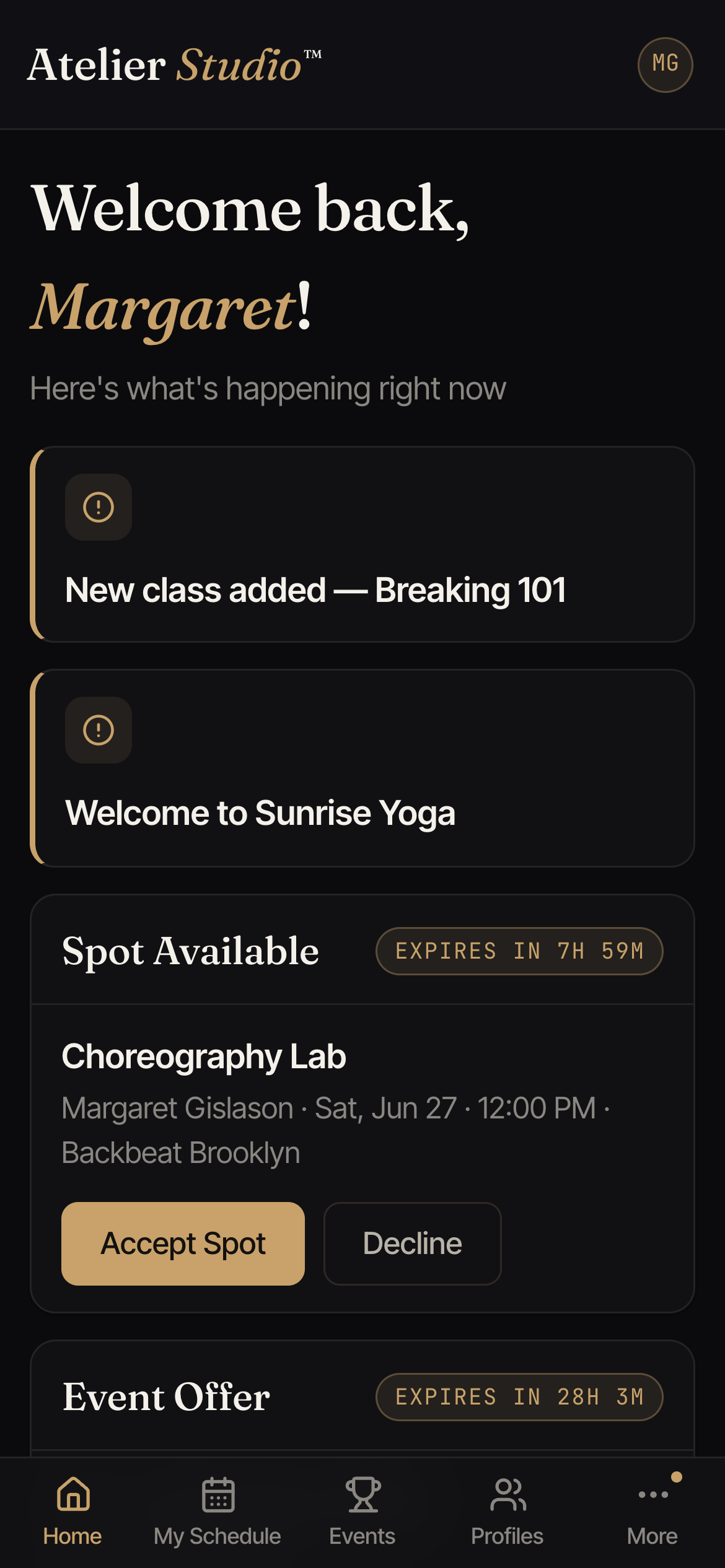
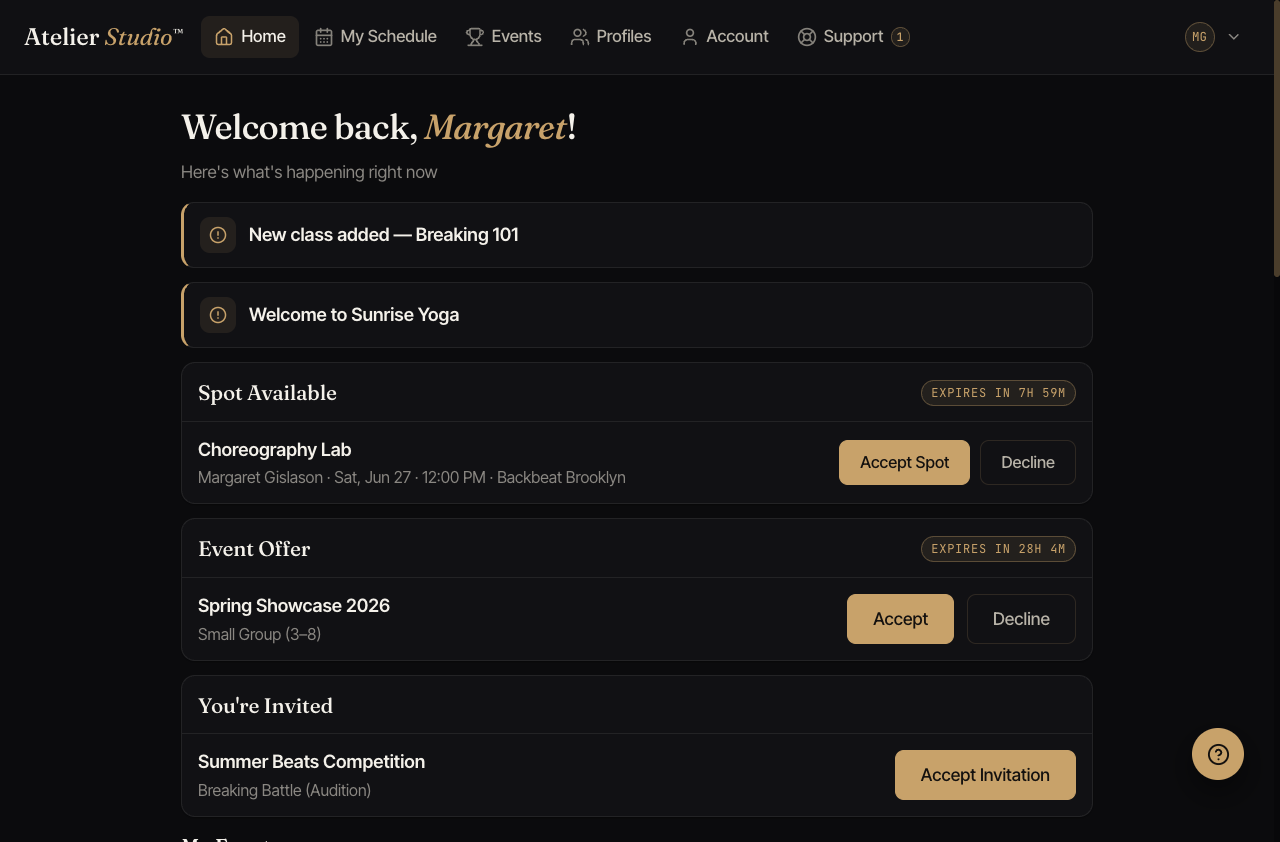
What you’ll see
- Announcements: short notices from your studios, like a new class or a welcome message.
- Spot offers: if a waitlist spot opens for you, it appears here with a countdown so you can accept before it expires.
- Invitations: invites to events and auditions, which you can accept or decline right from the card.
- “Is this you?”: if a booking was made with your email address but not from your account, it waits here for you to add to your account or dismiss. More on this just below.
Claiming a booking (“Is this you?”)
Sometimes a booking is made with your email address without you being signed in, for example when you grab a class on the spot with Express Checkout or by scanning a code at the front desk. For your security, that booking isn’t added to your account automatically. Instead, it waits for you here.
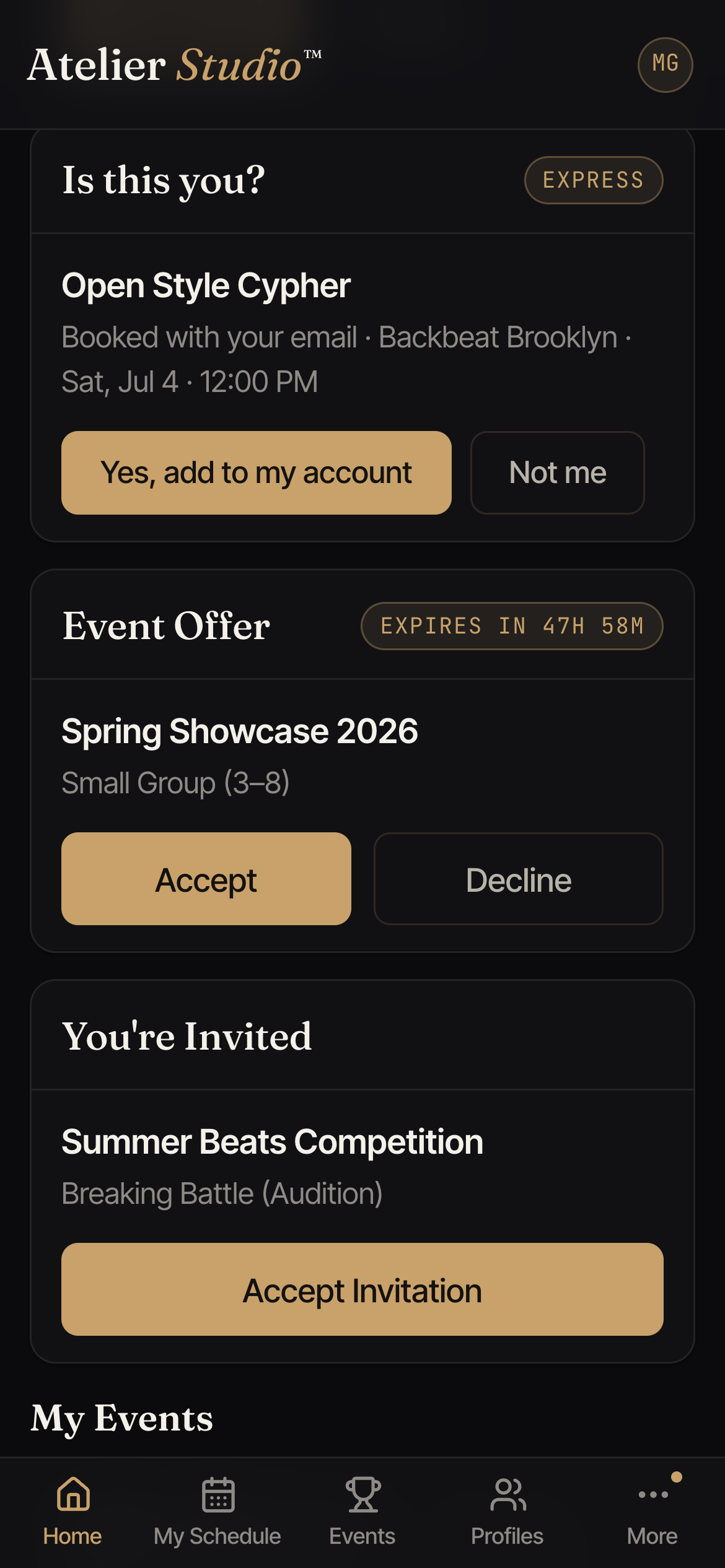
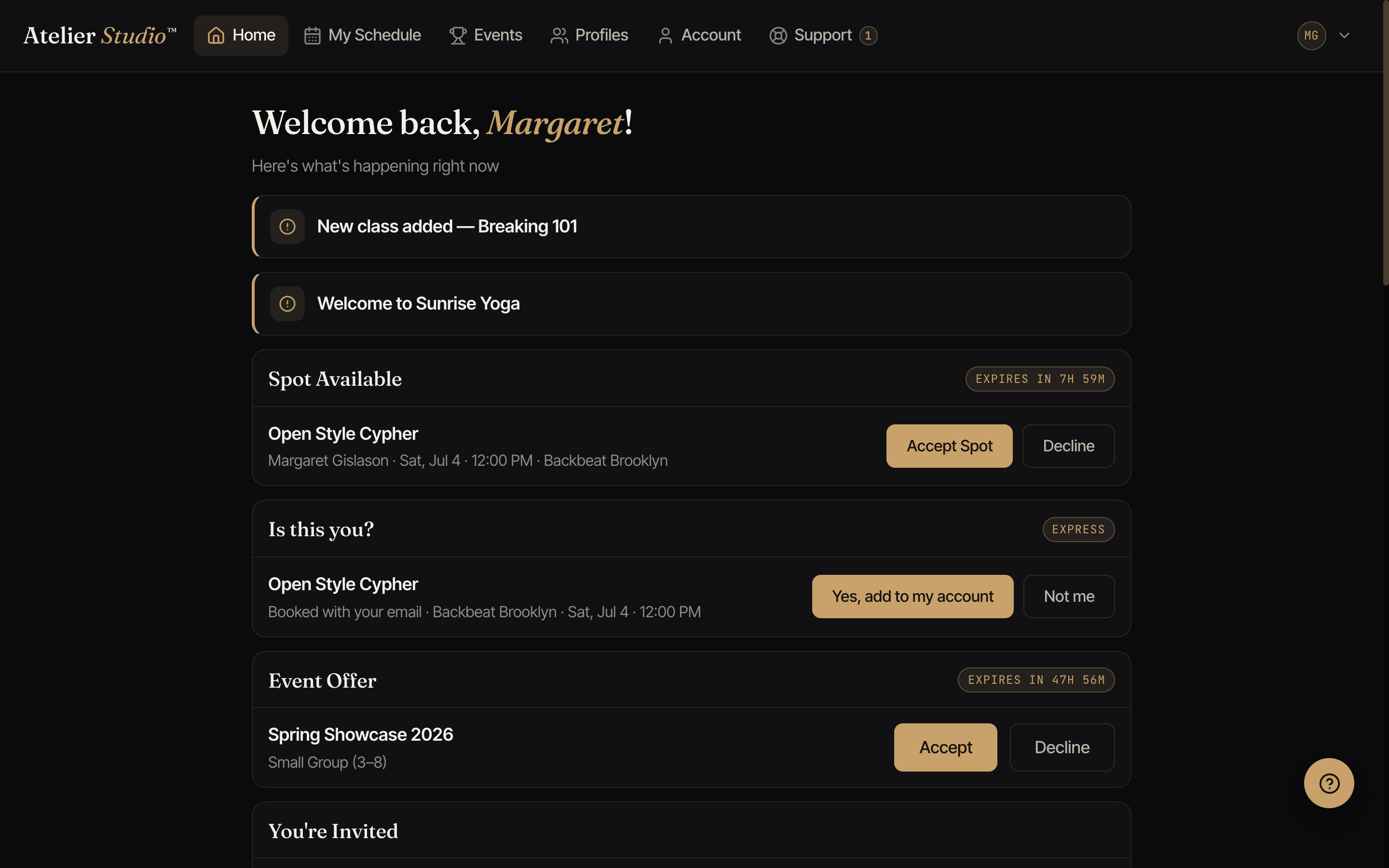
The band shows the class, the studio, and when it is. You have two choices:
- Yes, add to my account: adds the booking, and any payment already made, to your account. It moves into My Schedule right away.
- Not me: dismisses the band. The studio keeps the booking exactly as it is; it just stops showing up here.
Linking your past records (“Is this you?”)
If a studio brought your details over from the system they used before Atelier Studio but didn’t have your email address, your past classes and passes can end up in a record that isn’t connected to your new account yet. When the phone number on that record matches the phone number you’ve verified on your account, an “Is this you?” band appears so you can connect them.
The band shows the studio and the name on the old record. You have two choices:
- Yes, link it: connects that record to your account, so your history and any passes appear here. If the name was spelled a little differently, choose Fix the spelling to correct it before you link.
- Not me: dismisses the band; nothing else changes.
Getting around
The menu takes you everywhere else:
- My Schedule: everything you’ve booked. See Your schedule and bookings.
- Events: showcases, competitions, and auditions you’re part of.
- Profiles: you and your family members.
- Account: memberships, passes, payment methods, and your details.
- Support: search help or message your studio.